Write & Run Your First Express Web Server
Express·13 min read·Jan 1, 2025
A web server is a software application responsible for delivering web content, such as web pages or data, to clients over the internet or a local network.
It listens for incoming HTTP requests sent by clients, such as web browsers or web services, interprets those requests, and sends the requested content back to the clients in the form of an HTTP response.
It can serve static content, like pre-written HTML files, or dynamic content, which is generated in real-time and often involves additional components like databases, enabling the creation of personalized web experiences.
Set up a new project
Let's start by creating a new directory named web-server:
$ mkdir web-server
$ cd web-server
Generate the package.json file using the npm init command:
$ npm init
And install the Express framework available on the npm registry as the express package:
$ npm install express
Initialize the web server
Let's create a new file named app.js within the web-server directory:
$ touch app.js
Within this file, let's first import the express package:
const express = require('express');
Then, let's invoke the top-level function exported by the module, which returns a server object that bundles all the necessary methods for routing and processing requests, and building responses:
const express = require('express');

const server = express();
Bind the server to a port
In network programming, creating a TCP server implies creating a network socket, which is an endpoint that allows software applications, such as clients and servers, to communicate over a network.
In order for the server to be able to listen for and accept incoming network requests, it must first create a socket, then associate it with a unique triad composed of a transport protocol (e.g., TCP), an IP address (e.g., 127.0.0.1), and a port number (e.g., 80) in a process referred to as port binding.
One way to think about this is to imagine the server as a building, the socket as a mailbox, the IP address as a street address, the port number as an apartment number, and the request as a letter, where it will be delivered.
In Express, this process is internally handled by the listen() method of the server instance, in charge of creating and binding the socket to the specified port of the local machine:
server.listen(port, callback?);
Where:
portis an integer representing the port to bind the socket to.callbackis an optional callback function executed upon successful port binding.
In the context of our application, we'll bind the server's socket to the port 3000, which is commonly used in development environments:
const express = require('express');

const server = express();
const port = 3000;

server.listen(port, () => {
  console.log(`Server listening on port ${port}`);
});
Note: Port numbers are divided into three ranges:
Well-known ports, also known as system ports, are standardized ports in the range 0-1023. They are reserved for widely used services and protocols, like 22 for SSH, 80 for HTTP, or 443 for HTTPS. They usually require superuser privileges to be assigned to a service.
Registered ports are ports in the range 1024-49151. They are not as widely standardized but are used by software applications that are not as universally recognized, like 3306 for MySQL or 5432 for PostgreSQL.
Private ports, also known as ephemeral ports, are in the range 49152-65535. They are used for temporary, client-side connections that are dynamically assigned by an operating system for outbound communication.
Implement an HTTP GET endpoint
An HTTP endpoint is a mapping between an HTTP method (or verb) and a URL (or path) on a web server that corresponds to a specific service or resource, for example GET / or POST /auth/login.
When an HTTP request is sent to the server on a specific endpoint, the server processes the request, and sends an HTTP response back to the client containing the result of the requested action, data, or file.
Depending on the type of request sent by the client, the message body of the HTTP response can be in various formats, such as HTML for a web page, JSON for a dataset, text for informational messages, and so on.
In Express, the creation of endpoints is handled by verb methods of the server instance, like get() for HTTP GET endpoints or post() for HTTP POST endpoints:
server.verb(path, callback);
Where:
verbis a method of the server instance representing an HTTP verb.pathis a string representing the path on the web server associated with this method.callbackis a callback function executed by the server when an incoming HTTP request reaches this endpoint.
In the context of our application, we'll create a simple HTTP GET endpoint that responds with an HTTP 200 OK containing the string 'Hello, World!' when a request reaches the server on the root path /:
const express = require('express');

const server = express();
const port = 3000;

server.get('/', (req, res) => {
  res.send('Hello, World!');
});

server.listen(port, () => {
  console.log(`Server listening on port ${port}`);
});
Note: The
res.send()method is used to send an HTTP response back to the client and will automatically:
Set the
Content-Typeheader of the HTTP response totext/htmlif its supplied argument is a string, toapplication/octet-streamif it is a Buffer, or toapplication/jsonif it is an Array or Object.Set the
Content-Lengthheader of the HTTP response to the length of the message body.Set the HTTP response status code to
200.Set the message body of the HTTP response as a string version of the supplied argument.
Which is equivalent to this HTTP response:
HTTP/1.1 200 OK
Content-Type: text/plain
Content-Length: 13

Hello, World!
Test the server
Let's start the server application using the node command:
$ node app.js
Server listening on port 3000
Once started, we'll use one of the methods described below to test to send requests to its HTTP GET / endpoint.
Note: The IP address
127.0.0.1called the loopback address (or localhost) represents the virtual network interface that enables a computer to communicate with itself without sending traffic over a physical network.It allows it to bypass the network hardware and directly communicate with the services running on the local machine.
Consequently, to send HTTP requests to our local web server listening on the port
3000, we can use thehttp://127.0.0.1:3000address.
Send HTTP requests with the web browser
When opening an URL in a web browser, such as Google Chrome, the browser will automatically:
- Establish a TCP connection with the server.
- Send an HTTP request to the server, typically a GET request.
- Process the HTTP response sent by the server.
- Render the message body of the HTTP response in the browser window.
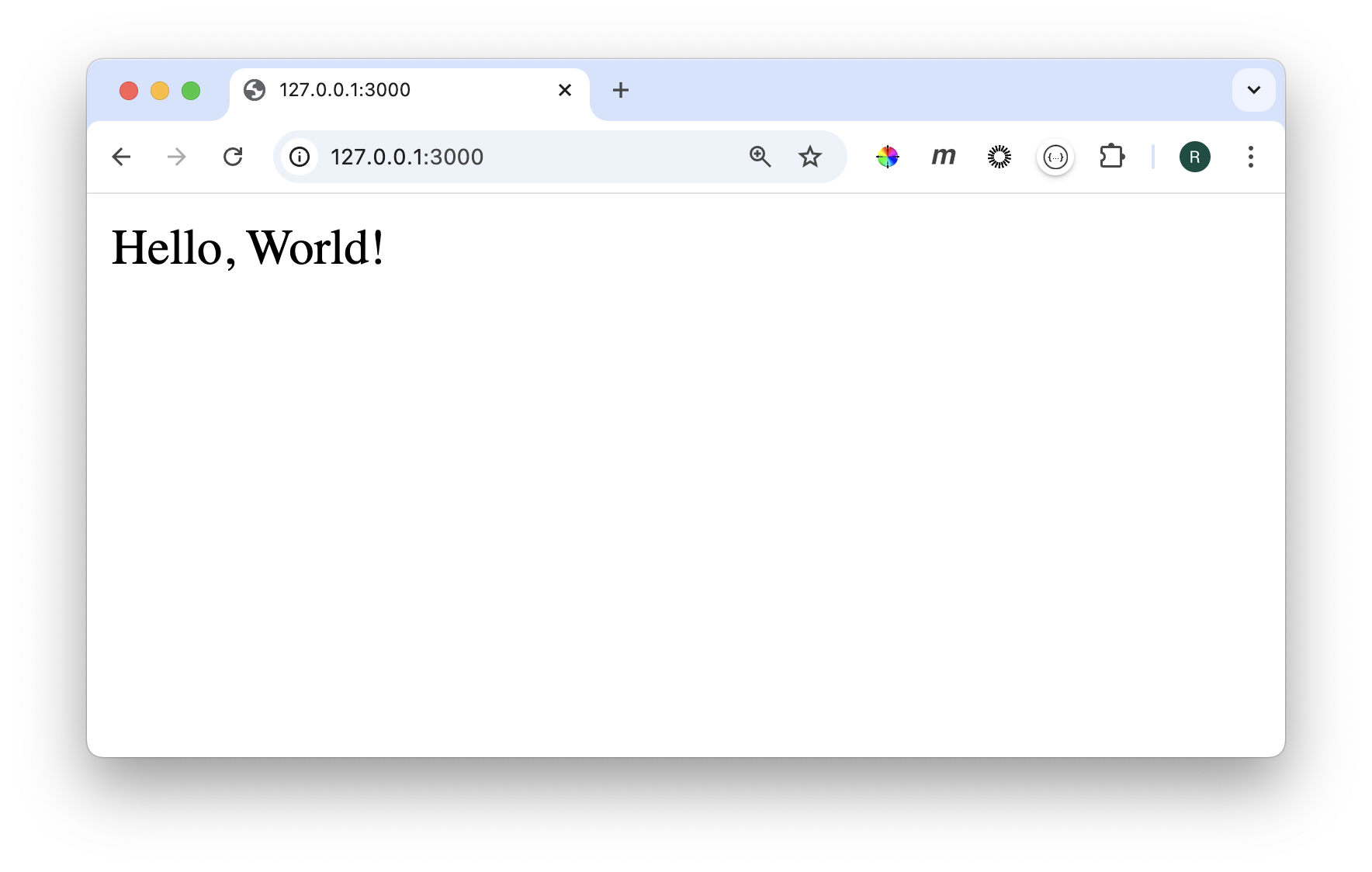
To send an HTTP GET request to the / path of the web server, you can therefore open the http://127.0.0.1:3000/ URL in a new browser tab, which will produce this output:
Send HTTP requests with curl
curl is a command-line tool used for transferring data to or from a server.
It supports a wide range of protocols, including HTTP, HTTPS, FTP, and more.
It's commonly used for testing APIs, downloading files, and interacting with web services by sending requests and receiving responses.
By default, curl sends HTTP GET requests to the specified URL and outputs the message body of the HTTP response into the terminal.
$ curl <url>
To send an HTTP GET request to the / path of the web server, you can therefore use this curl command:
$ curl http://127.0.0.1:3000/
Hello, World!
Note: Since
curluses the HTTP protocol by default, sending an HTTP request tohttp://127.0.0.1:3000/is equivalent to127.0.0.1:3000/.
🗒️ Summary
Here's a summary of what you've learned in this lesson:
- The Express.js framework is available as an npm package named
express. - A web server is a software application responsible for delivering web content to clients over the internet or a local network.
- Port binding is the process of associating a socket to a transport protocol, an IP address, and a port number.
- The loopback address, localhost, or
127.0.0.1represents the virtual network interface that enables a computer to communicate with itself. - The
express()function is used to create a new server instance. - The
listen()method of the server instance is used to bind the server' socket. - The
verb()methods of the server instance are used to create HTTP endpoints. - The
curlcommand is used to transfer data to or from a server.
Unlock the full program 🚀
Pay once, own it forever.
€149
30-day money-back guarantee
- 13 modules
- 113 lessons with full-code examples
- 29 projects with commented solutions
- All future lesson and project updates
- Lifetime access
By submitting this form, you agree to the Terms & Conditions and Privacy Policy.