JavaScript Fundamentals
Learn the JavaScript fundamentals to write backend logic on your own and build structured programs without relying on tutorial copy-pasting.
What "JavaScript for Backend" Really Means
It's still JavaScript, but the job is different.
On the frontend, JavaScript is mostly about user interface behavior. It reacts to clicks, forms, and visual state.
On the backend, JavaScript is mostly about logic and data. Your code takes an input, transforms it into an output, and has to stay readable when requirements grow and edge cases appear.
That is where most beginners get stuck. They can follow tutorials, but they cannot write clean backend logic on their own, so they end up copy-pasting code and hoping it works.
This course gives you the foundation first, so you can write reusable logic, handle errors properly, and structure your code in a way that still makes sense when you move on to Node.js tools and APIs.

What & How You'll Learn
Learn JavaScript the way backend developers use it in real life.
Write code that is predictable and easy to debug.
Break problems into reusable building blocks you can easily extend.
Work with real application data the way backend programs do every day.
Debug mistakes faster and make your code fail safely.
Think in terms of data, logic, and program behavior from day one.
Build a solid foundation you can carry into Node.js for CLIs and APIs.
The learning process

- 1
Gradual concept introduction
Each lesson introduces one main concept at a time allowing you understand what you're doing before combining it with other moving parts. This keeps the learning curve steady and helps you build real confidence instead of patchy knowledge.
- 2
Code snippets breakdown
Before writing full programs, you'll study focused code snippets that isolate the concept and show exactly how it works in practice. This makes the logic easier to understand and gives you a mental model you can reuse later.
- 3
Guided project build
You'll apply what you just learned in a guided project that turns isolated concepts into working code. This is where the lesson becomes practical and the skills start to stick.
- 4
Solution walkthrough
After building the project yourself, you'll review a complete solution to compare approaches, catch mistakes, and understand better patterns. This helps you learn faster than trial-and-error alone and reinforces how the pieces fit together.
- 5
Reusable takeaways
Each concept, pattern and idea is carried into the next lesson and project so you don't start from zero every time. That's how you build momentum and turn practice into long-term backend skills.

What You'll Build
These JavaScript projects are designed to train the exact problem-solving skills used in backend development, from simple decision-making scripts to larger logic-heavy programs.
Here's a shortlist of the projects you'll build:
Movie Recommendation Script
Diamond Pyramid Generator
Integer Base Converter
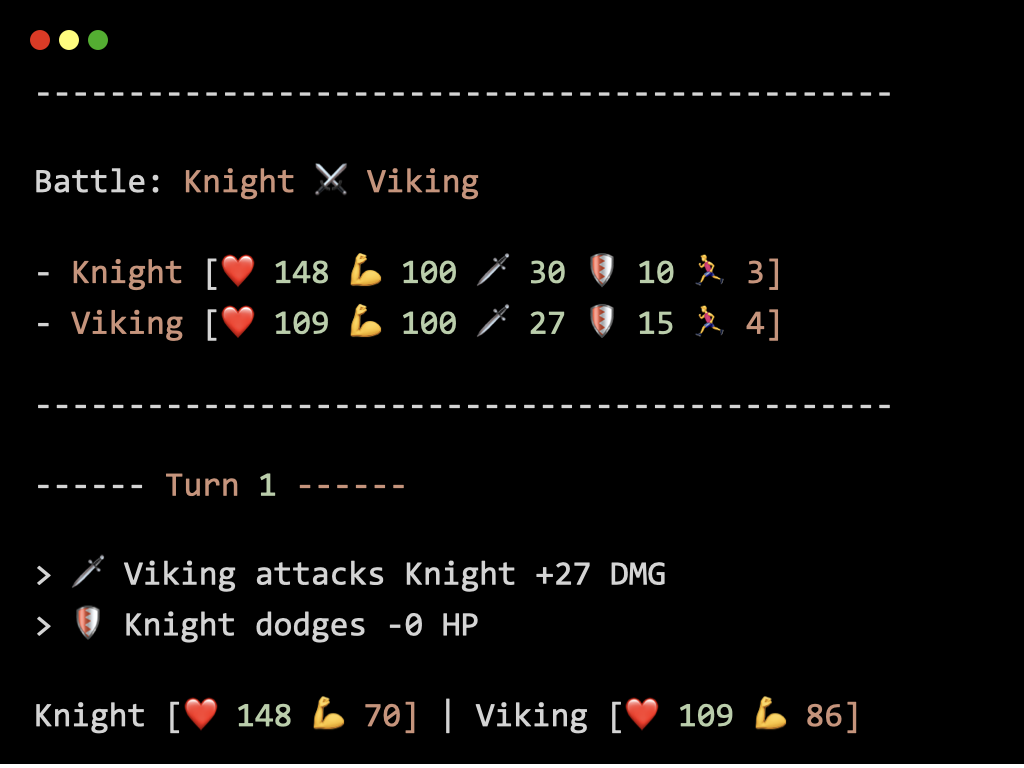
Turn-Based RPG Simulator
Shortest Path Finder
Tic-Tac-Toe Simulator
Vigenère Cipher
Markdown to HTML Converter
Blockchain Simulator

The Course Curriculum
Here's an overview of this course organized by module.
JavaScript Fundamentals I
9 lessons · 2 projects
In this module, you'll learn the core building blocks of JavaScript, including values, variables, conditions, and basic debugging, so you can write small scripts that run correctly in Node.js and produce predictable output.
JavaScript Fundamentals II
11 lessons · 3 projects
In this module, you'll learn how to repeat and reuse logic with loops and functions, then apply it to build real scripts that generate output from dynamic inputs instead of hard-coded values.
Objects in JavaScript
9 lessons · 2 projects
In this module, you'll learn how to model real-world entities with object literals, access and update properties safely, and reshape data using destructuring and merges, which is essential for handling API payloads and configuration objects.
Arrays in JavaScript
10 lessons · 4 projects
In this module, you'll learn how to work with arrays as ordered lists, modify and transform collections, and use common operations like sorting, filtering, mapping, and reducing, which you will use constantly when processing input data and API results.
OOP in JavaScript
7 lessons · 2 projects
In this module, you'll learn how to structure programs with classes, instances, methods, and inheritance, then use controlled error throwing to build reusable components that behave predictably as your programs grow.
[Bonus] Safeguard Code With Git & GitHub
11 lessons
In this module, you'll learn how to track and manage changes to your code, keep a complete history of your project, compare and restore previous versions when needed, and collaborate with others through hosted repositories.
👌
This course helps developers grasp the concepts of using modern JavaScript for the backend while applying enterprise-grade standards to code. A definite must if you don't want to waste time on deprecated tutorials across the web.
Thibault R
Full-Stack Developer
🤓
A comprehensive course for junior developers. The content is precise and easy to understand. Each lesson introduces a lot of new and interesting concepts without overwhelming the student.
Jean-Christophe L
Frontend Developer
🚀
The projects are practical, scoped, and cover essential software pieces. These are not just toy examples, they're small, production-shaped problems.
Francois P
Senior Backend Developer
Start Building With JavaScript Today
Get lifetime access to this course and all future updates — 30-day money-back guarantee.
The Money-Back Promise
We want this investment to be an absolute no-brainer for you.
If for whatever reason you aren't 100% satisfied with your experience, send us an email within the first 30 days of purchase at support@learnbackend.dev and we'll refund your entire payment.
No hard feelings. No questions asked.
F.A.Q.
What's the format of the course?
Lessons are text-based — for a good reason. You get full-length written lessons and projects with runnable code, and you are expected to code along locally.
Do I need prior JavaScript experience?
No. The course starts with the fundamentals of programming and ramps up progressively from basic to advanced JavaScript concepts.
How long does it take to complete this course?
It depends on your pace, but a realistic range is 1-3 months if you code regularly. The projects are where most of the time goes, and they are the point of the program.
Is there coaching or mentoring?
Not at launch. The program is designed to be self-serve, and support options can be introduced later depending on demand.
Does the course work on all operating systems?
It is designed to work on Linux-based and macOS operating systems. These environments are essential for learning backend development effectively, as they align with industry standards and provide the necessary tools and features. However, if you're using Windows, we recommend setting up the Windows Subsystem for Linux (WSL) on your machine to follow along.
I've got more questions, how can I reach you?
You can send us an email at support@learnbackend.dev and we'll get back to you within 1-2 business days.