Node.js Fundamentals
Learn the Node.js fundamentals for building reusable developer tools that automate workflows and save time every week.
Why Scripting Matters
Most developers start learning Node the wrong way.
They jump straight into frameworks and APIs, so they learn abstractions before they understand the runtime.
That is how you end up being able to get an app to run, but not really knowing what is happening or why it breaks as soon as you move off the happy path.
The fastest way to understand Node properly is to build command line scripts and tools. It forces you to work with the things Node is actually about. Input, flags, files, folders, environment variables, streams, and errors.
And once you learn that layer, you can do something immediately useful with it. You can build your own tools that automate repetitive development tasks and save you time every week.

What & How You'll Learn
Learn how to build proper Node.js CLI tools with arguments, config, file handling, and clean terminal output.
Organize your code into reusable modules and packages.
Build CLI scripts that feel native to the terminal.
Parse arguments and flags cleanly so your tools are easy to use.
Work with files, folders, paths, and streams the way real CLIs do.
Handle async tasks without blocking your program.
Build a strong foundation for advanced tooling and backend automation.
The learning process

- 1
Gradual concept introduction
Each lesson introduces one main concept at a time allowing you understand what you're doing before combining it with other moving parts. This keeps the learning curve steady and helps you build real confidence instead of patchy knowledge.
- 2
Code snippets breakdown
Before writing full programs, you'll study focused code snippets that isolate the concept and show exactly how it works in practice. This makes the logic easier to understand and gives you a mental model you can reuse later.
- 3
Guided project build
You'll apply what you just learned in a guided project that turns isolated concepts into working code. This is where the lesson becomes practical and the skills start to stick.
- 4
Solution walkthrough
After building the project yourself, you'll review a complete solution to compare approaches, catch mistakes, and understand better patterns. This helps you learn faster than trial-and-error alone and reinforces how the pieces fit together.
- 5
Reusable takeaways
Each concept, pattern and idea is carried into the next lesson and project so you don't start from zero every time. That's how you build momentum and turn practice into long-term backend skills.

What You'll Build
These projects are designed to train the exact skills used in real command-line tooling, from async task execution to file processing and interactive terminal programs.
Here's a shortlist of the projects you'll build:
Asynchronous Task Scheduler
CSV to JSON Stream Converter
File Output Filtering Utility (Unix head command)
Directory Listing Utility (Unix ls command)
File Character Counter Utility (Unix wc command)
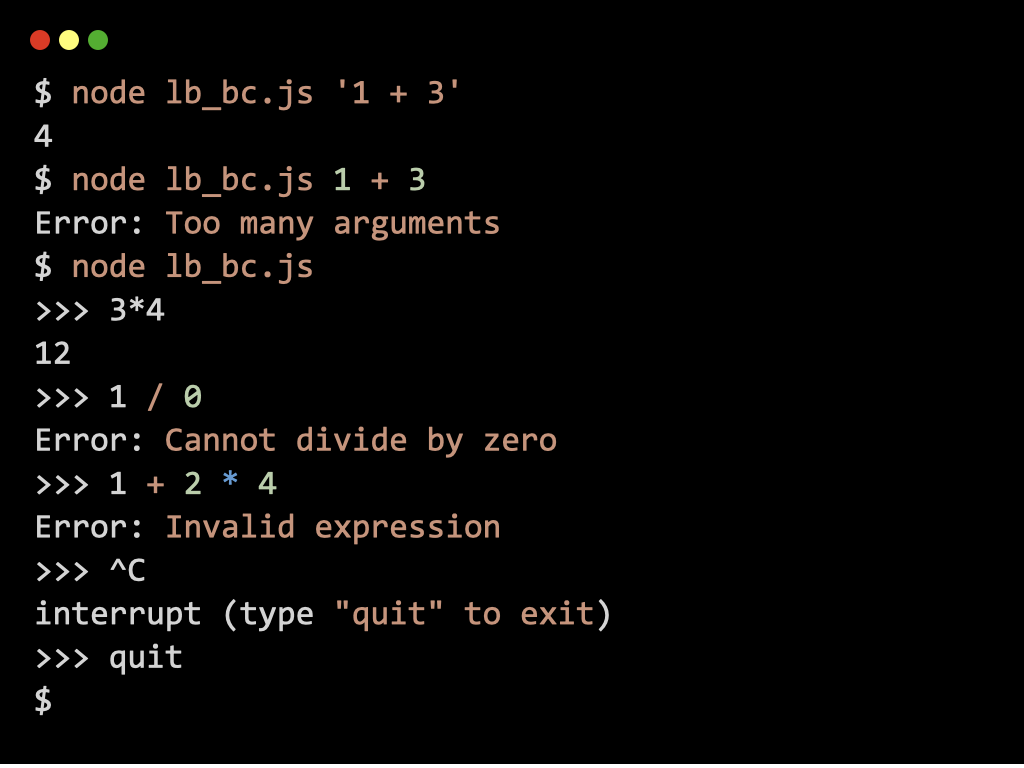
Calculator Utility (Unix bc command)
Dotenv Configuration Loader
Number Guessing Game
Minesweeper Game

The Course Curriculum
Here's an overview of this course organized by module.
Asynchronous Execution in Node.js
5 lessons · 1 projects
In this module, you'll learn how Node.js avoids blocking using the event loop, timers, promises, and async/await, so you can write code that handles work that completes later, such as I/O and network operations, without losing control of errors.
The Node.js Module System
2 lessons
In this module, you'll learn how to organize code components such as variables, functions, and classes into independent units called modules that promote code reusability and separation of concerns.
Write CLI Apps in Node.js
4 lessons · 2 projects
In this module, you'll learn how to ship real CLI tools by creating robust entry points, parsing arguments, and loading configuration from the environment so your commands behave like professional developer utilities.
Handle Files & Data in Node.js
10 lessons · 7 projects
In this module, you'll learn the Node.js primitives for handling real data, including files, directories, events, buffers, and streams to build interactive programs and pipelines that scale beyond small in-memory scripts.
The Node Package Manager
10 lessons
In this module, you'll learn how to use npm to manage dependencies, run and publish packages, automate tasks, and control versions safely so your Node.js projects stay reproducible and easy to maintain.
[Bonus] Safeguard Code With Git & GitHub
11 lessons
In this module, you'll learn how to track and manage changes to your code, keep a complete history of your project, compare and restore previous versions when needed, and collaborate with others through hosted repositories.
👏
The way asynchronous behavior in Node.js is handled is accurate and presented in increasing complexity. It really teaches how Node behaves and why, which reduces a ton of confusion later when people start writing servers.
Corentin G
Senior Full-Stack Developer
👍
This course covers the real foundations you expect from someone who says: I can code in Node. It perfectly aligns with what we ask juniors to do in actual tasks.
Gabriel F
Senior Backend Developer
💪
I think the projects are the strongest part. These projects force the student to reason about I/O, state, and edge cases, which is the difference between watching a crash course and writing a tool that solves a problem.
Jean-Baptiste M
Full-Stack Developer
Start Building With Node.js Today
Get lifetime access to this course and all future updates — 30-day money-back guarantee.
The Money-Back Promise
We want this investment to be an absolute no-brainer for you.
If for whatever reason you aren't 100% satisfied with your experience, send us an email within the first 30 days of purchase at support@learnbackend.dev and we'll refund your entire payment.
No hard feelings. No questions asked.
F.A.Q.
What's the format of the course?
Lessons are text-based and project-driven. You'll read focused explanations, study runnable code, and build the tools locally on your machine.
Who is this course for?
This course is for developers who already know JavaScript fundamentals and want to start building real tools with Node.js in the terminal.
Do I need to know Node.js already?
No. This course teaches Node.js from the CLI angle, but you should already be comfortable with JavaScript basics (functions, arrays, objects, loops, and errors).
Is this course only about "scripts," or will I build real tools?
You'll build real CLI tools. The projects include file processing tools, converters, interactive terminal programs, and utilities that mirror the kind of tools developers actually use.
Will I learn both CommonJS and ESM?
Yes. You'll learn both module systems so you can read existing codebases and write modern Node.js projects with confidence.
Does this cover async code, or only basic CLI input/output?
It covers both. You'll learn async fundamentals (event loop, promises, async/await) and apply them in CLI projects that handle timers, streams, and file operations.
Will I learn how to use npm for CLI workflows?
Yes. The course includes npm usage for installing packages, running tools, automating tasks, and publishing/managing your own packages.
How long does it take to complete this course?
It depends on your pace, but a realistic range is 1-3 months if you code regularly. The projects are where most of the time goes, and they are the point of the program.
Is there coaching or mentoring?
Not at launch. The program is designed to be self-serve, and support options can be introduced later depending on demand.
Does the course work on all operating systems?
It is designed to work on Linux-based and macOS operating systems. These environments are essential for learning backend development effectively, as they align with industry standards and provide the necessary tools and features. However, if you're using Windows, we recommend setting up the Windows Subsystem for Linux (WSL) on your machine to follow along.
I've got more questions, how can I reach you?
You can send us an email at support@learnbackend.dev and we'll get back to you within 1-2 business days.